E-Mail Identities

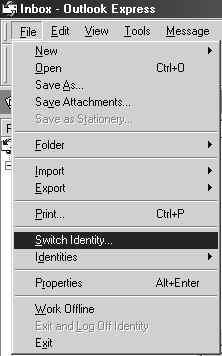
1) On your E-mail page.  Go to File -> Switch Indentity...

wpeF.jpg (12914 bytes)

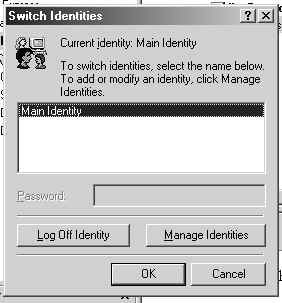
2) The Switch Indentities screen will come up.  Click on Manage Indentities.

wpe10.jpg (14397 bytes)

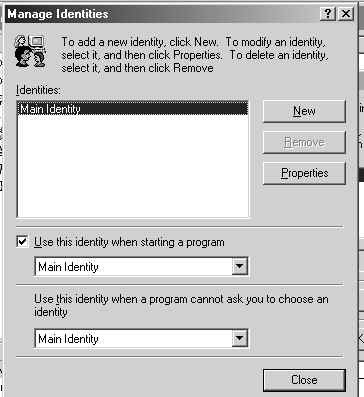
3) When Manage Indentities screen comes up.  Click on New to add a new user.

wpe11.jpg (19810 bytes)

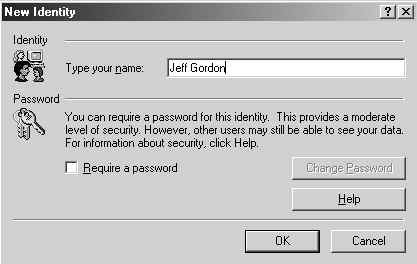
4) That will bring you to New Indentity.  This is where you type in the new users name.  Then Click OK.

wpe12.jpg (15494 bytes)

5) After you Click OK, a screen will pop up and will ask you.  If you wish to switch?  Click Yes.
6) Then the Internet Connection Wizard will come up.   Thats where you start to add the new email address.  At this time you can refer to Basic E-Mail on this webpage to help you.
7) When you are finished with installing the new email address.  Then you just go to File, Switch Indentities.  The Switch Indentities screen will come up and you just Click on the person's name you want.   Click OK. The Main Indentity is always the default account.